Software Design
This page includes a short description of the overall architecture style of the system, its high-level system components, and their logical (what data they exchange) and control (how they invoke each other) dependencies.
Architecture Diagram
This is a short description of the architecture.

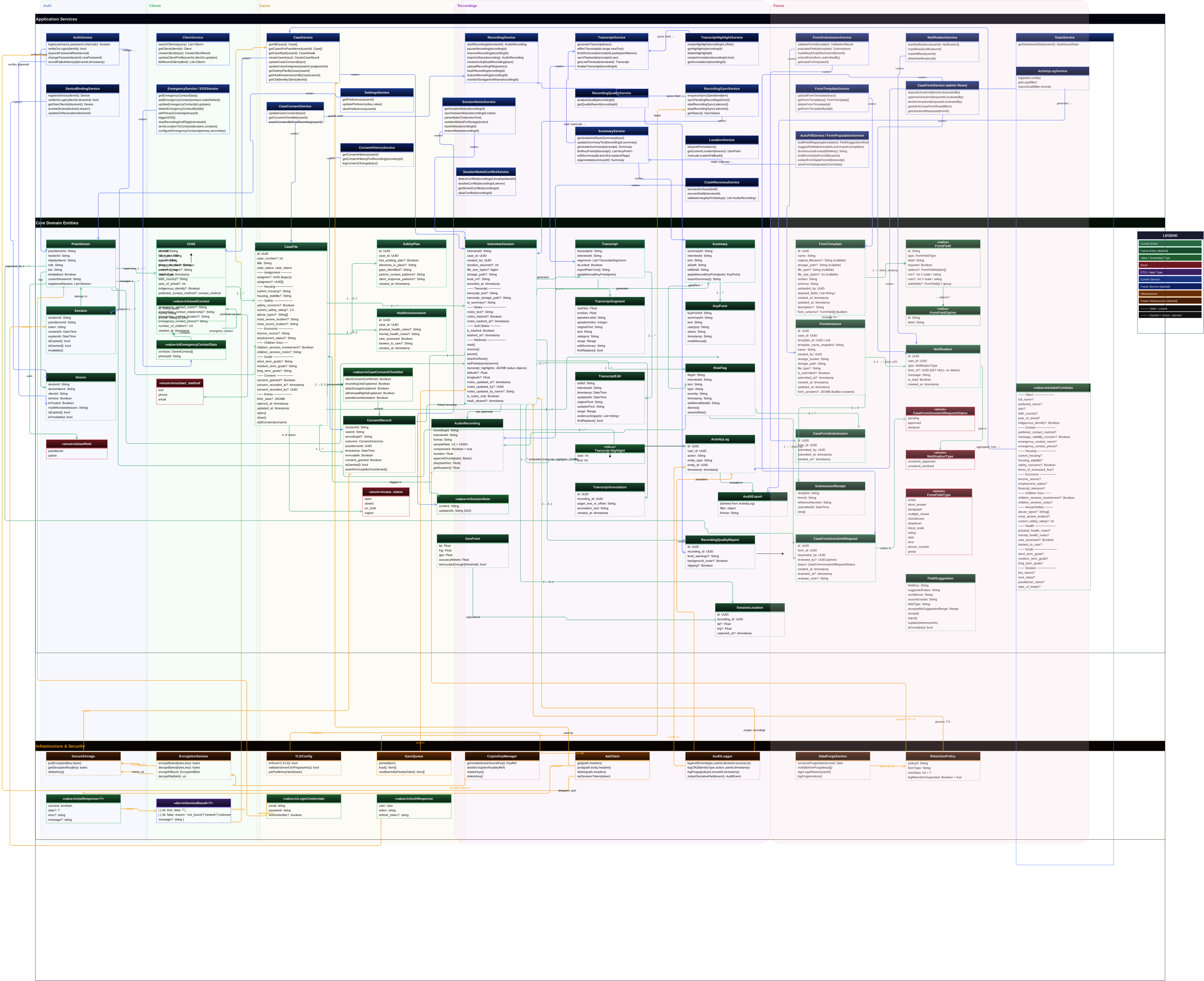
UML Class Diagram
This is a short description of logical entities of the domain in a UML diagram.
Sequence Diagrams
Multiple sequence diagrams depicting the most important scenarios.
-
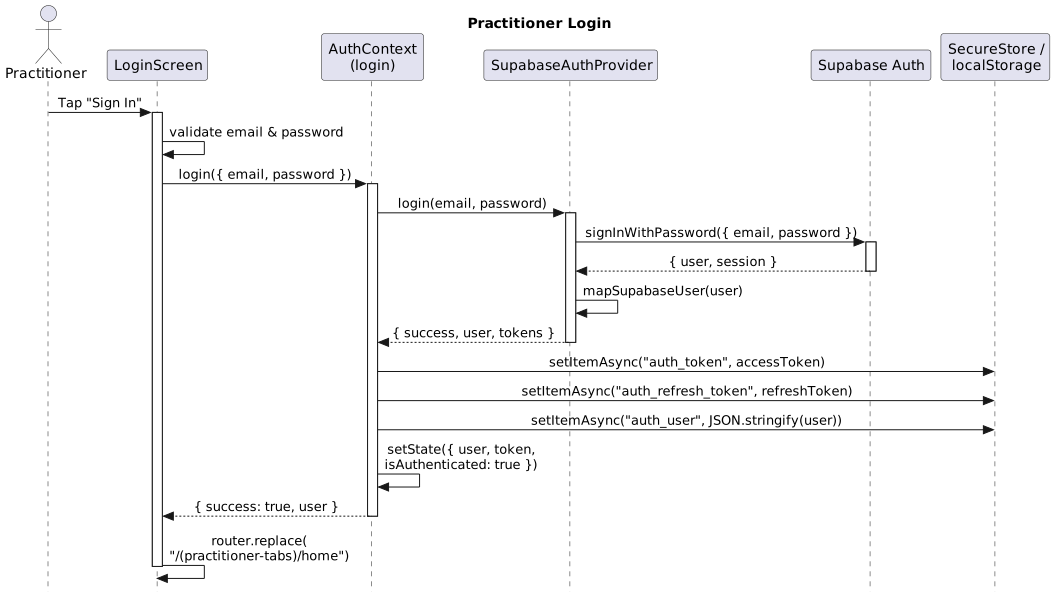
Practitioner Login:
-
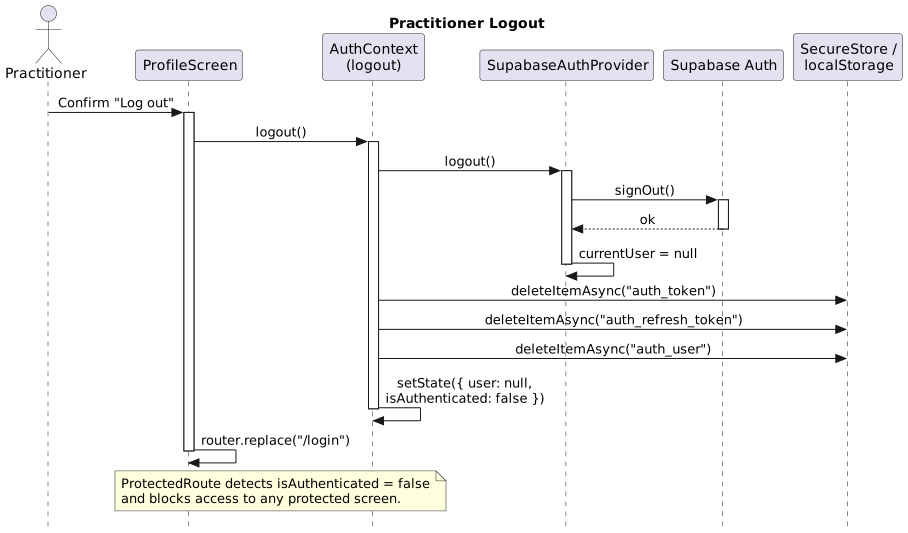
Practitioner Logout:
-
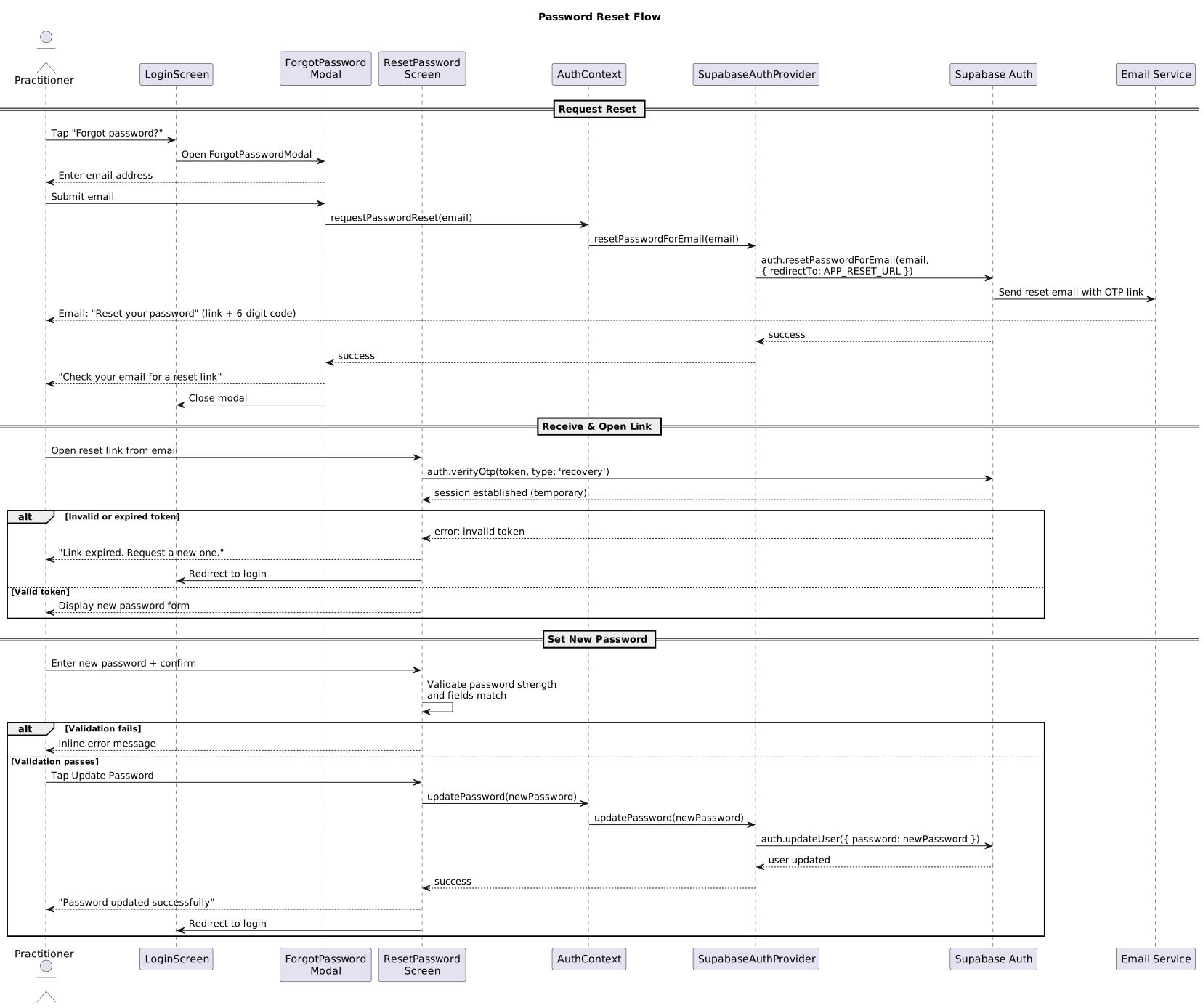
Password Reset:
-
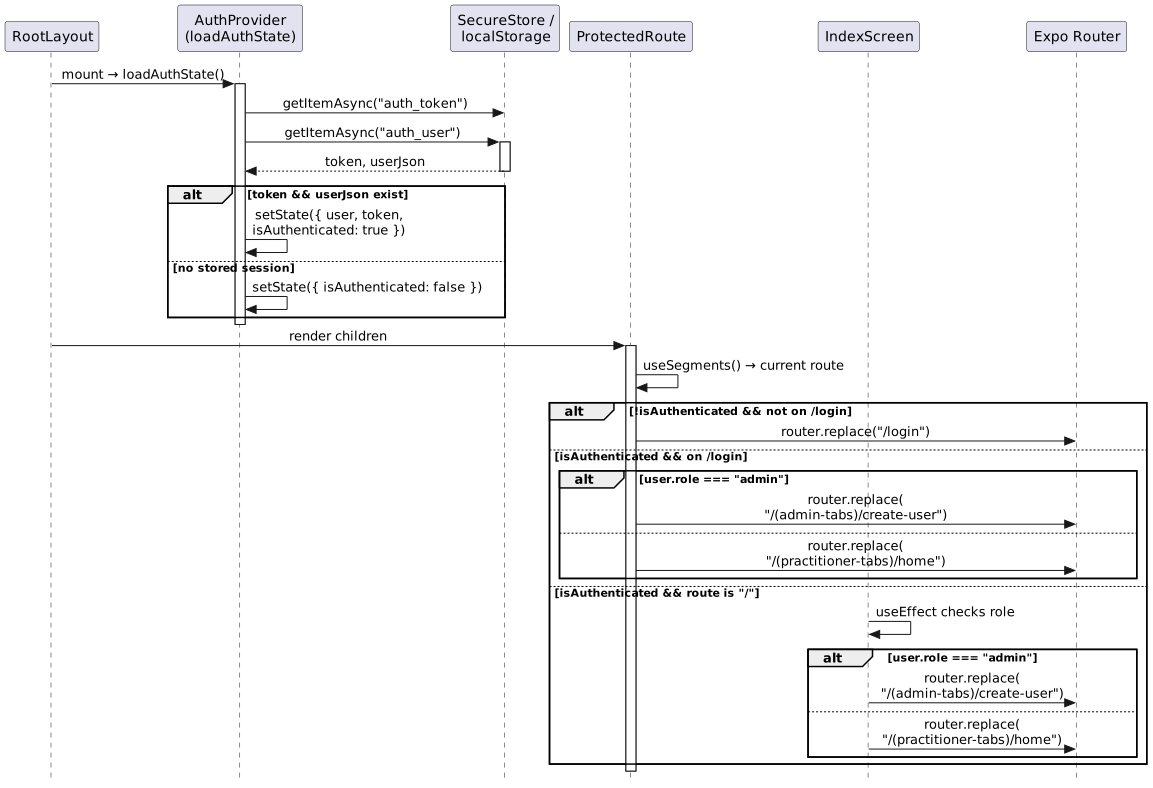
App Bootstrap & Route Protection:
-
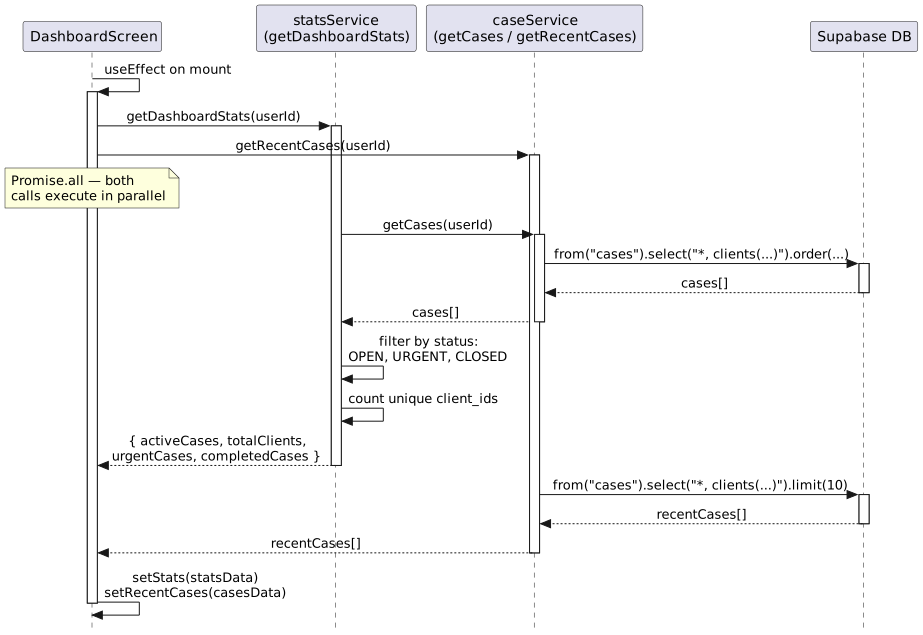
Load Dashboard:
-
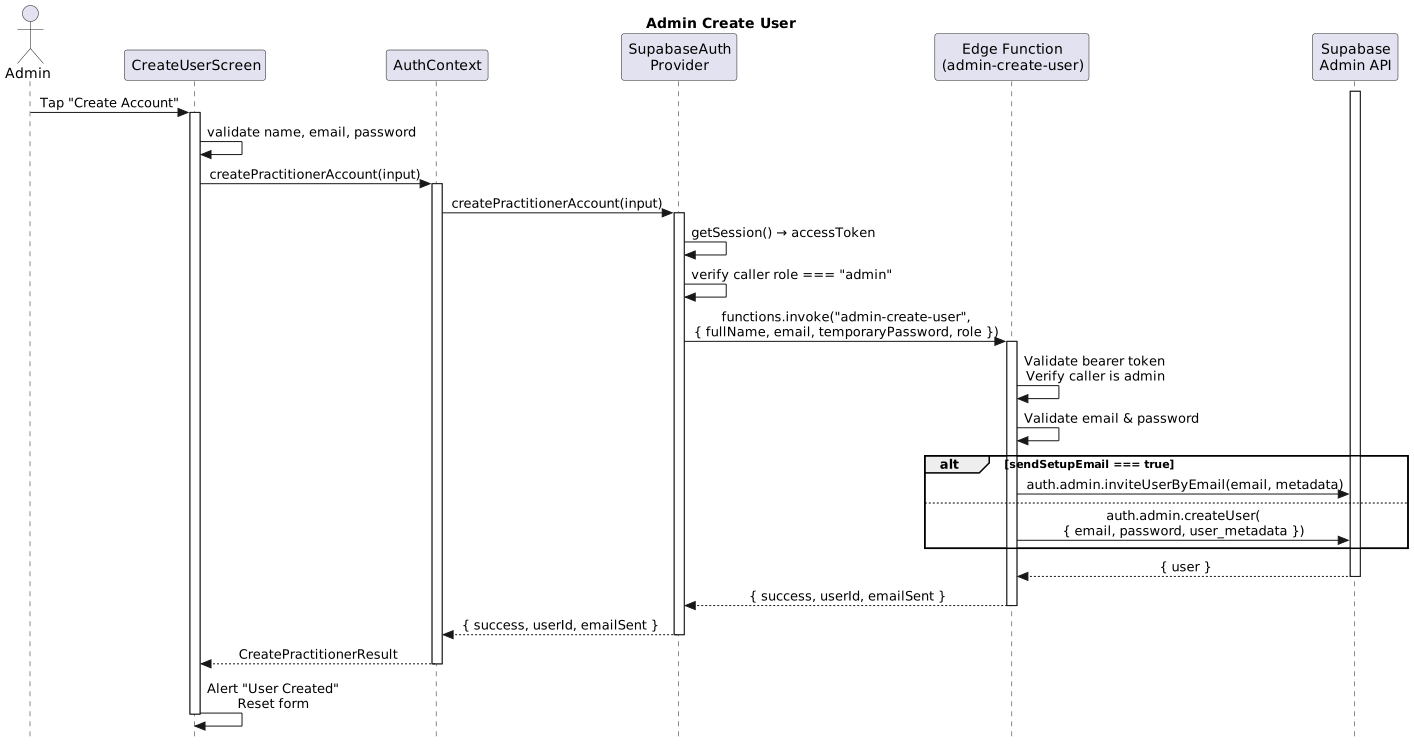
Admin Create User:
-
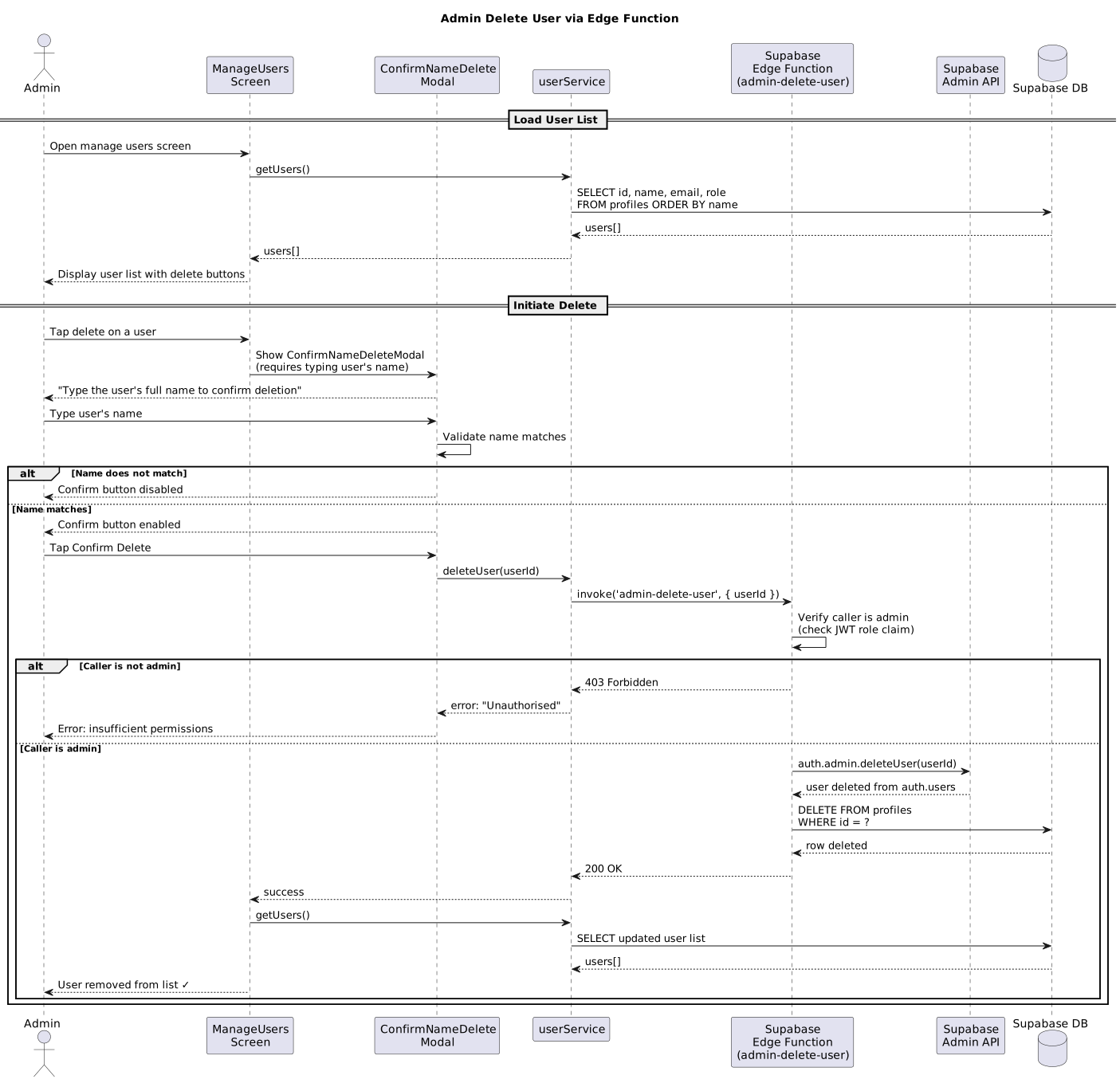
Admin Delete User:
-
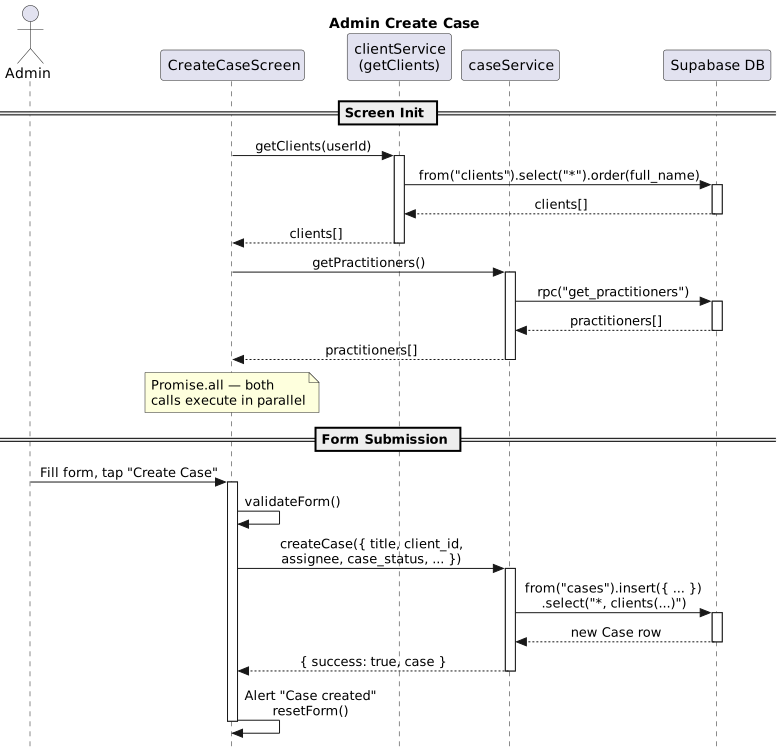
Admin Create Case:
-
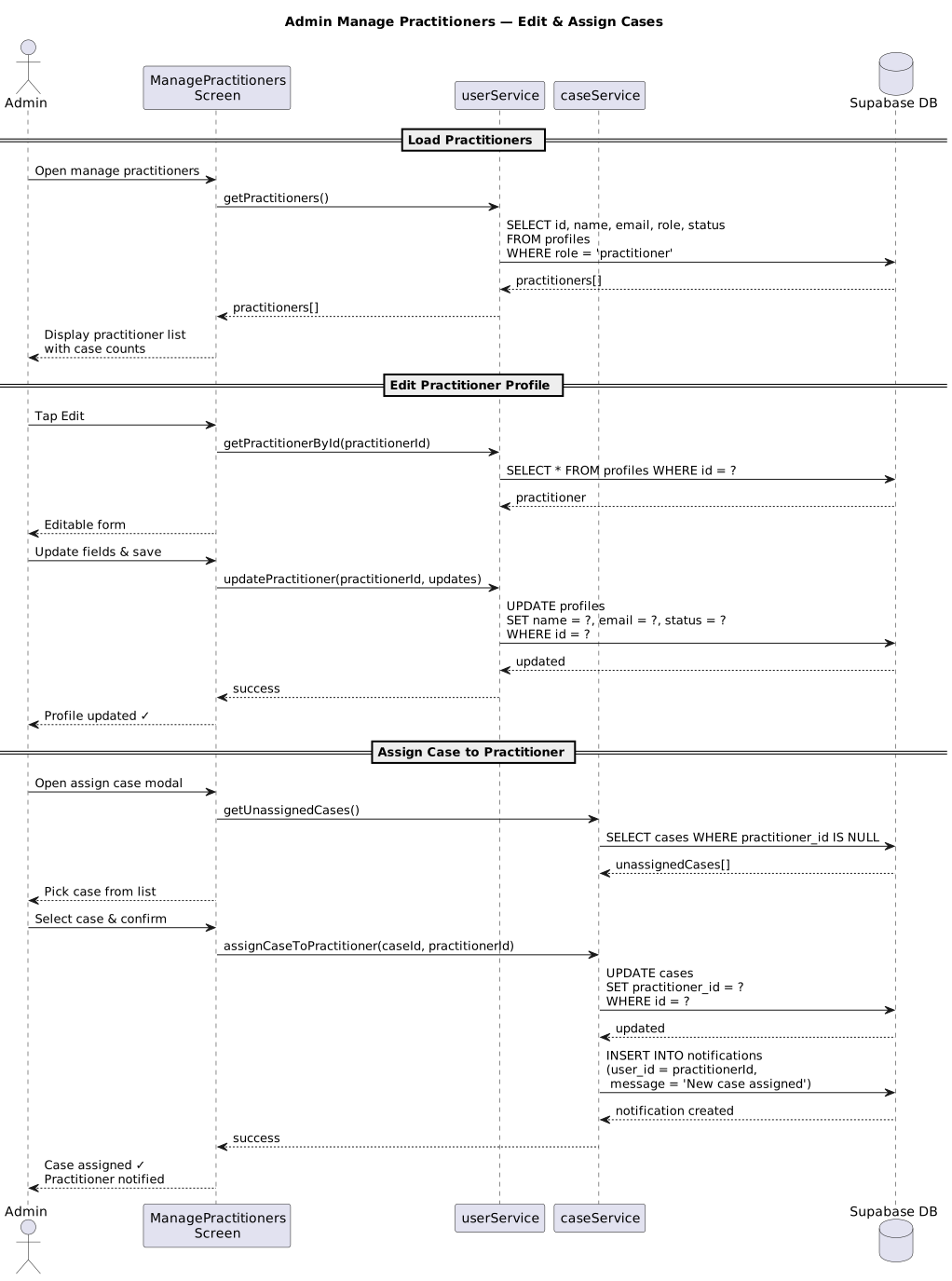
Admin Manage Practitioners:
-
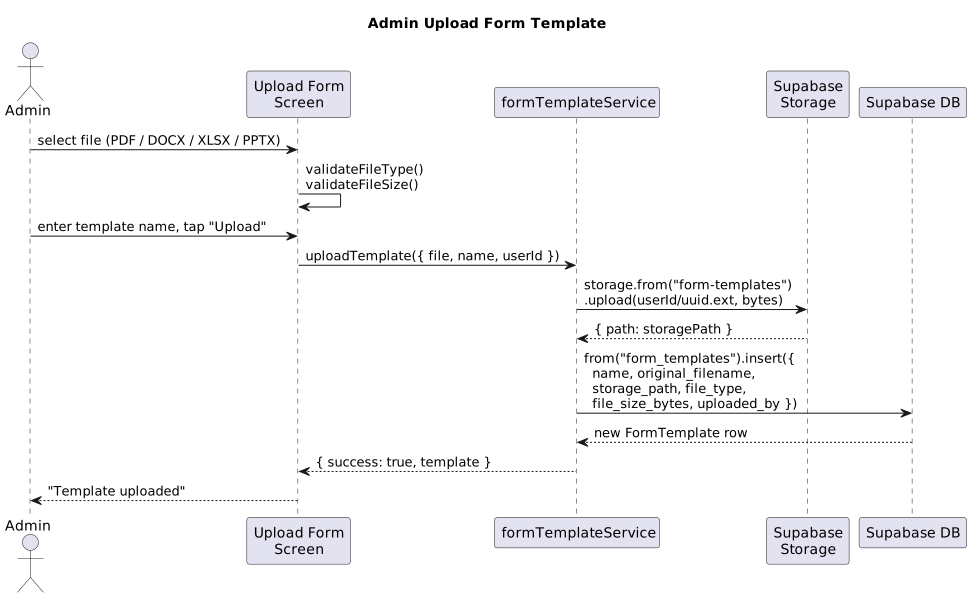
Admin Upload Form Template:
-
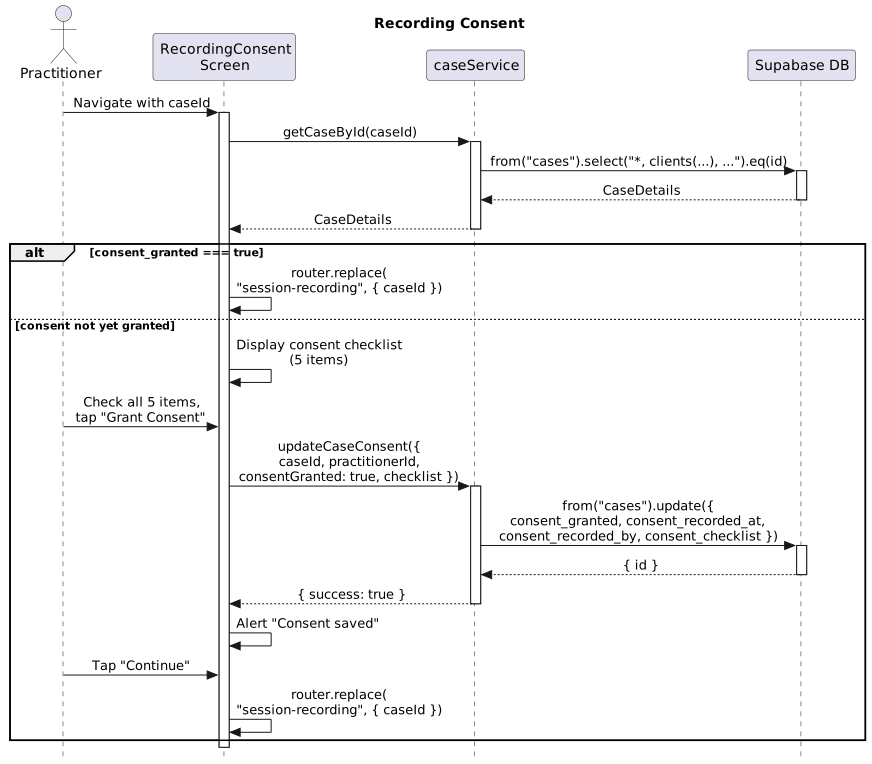
Recording Consent:
-
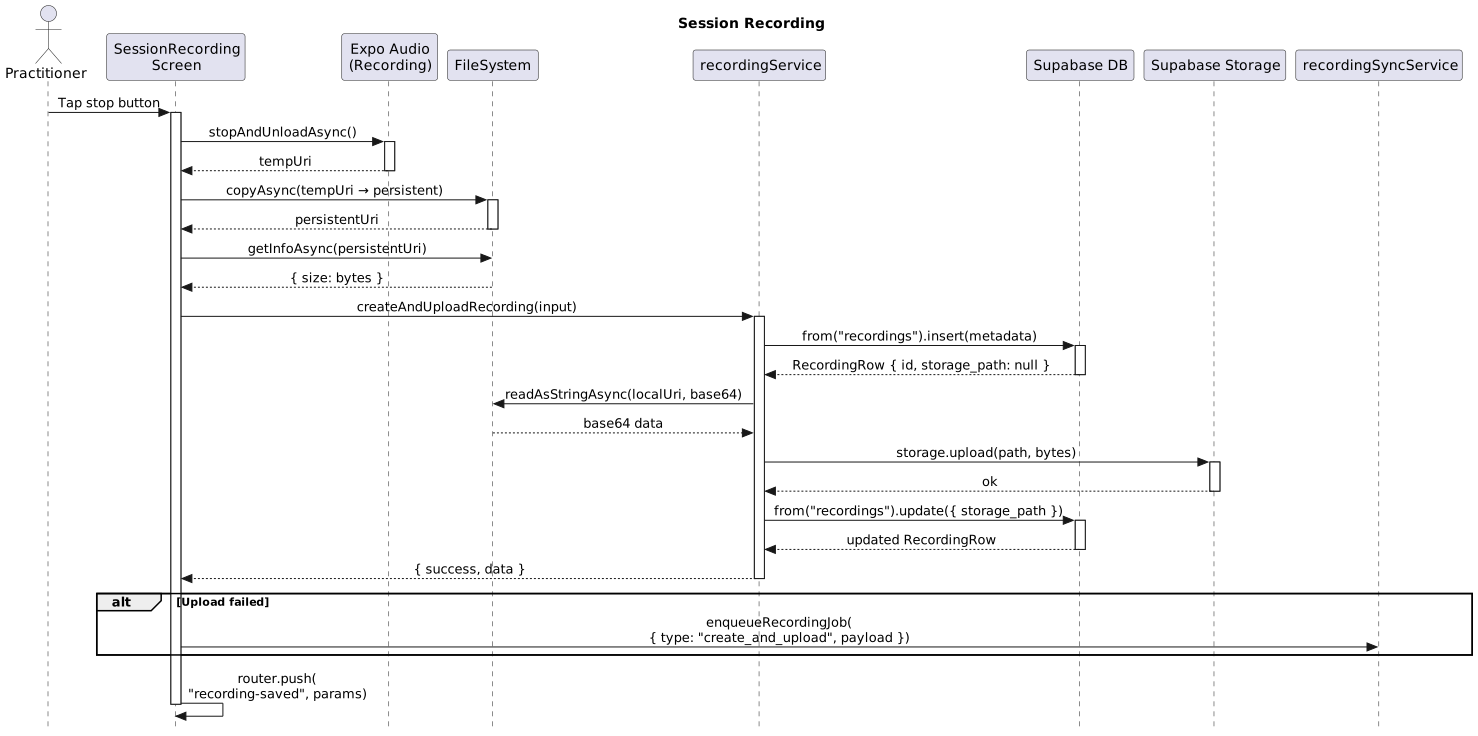
Session Recording:
-
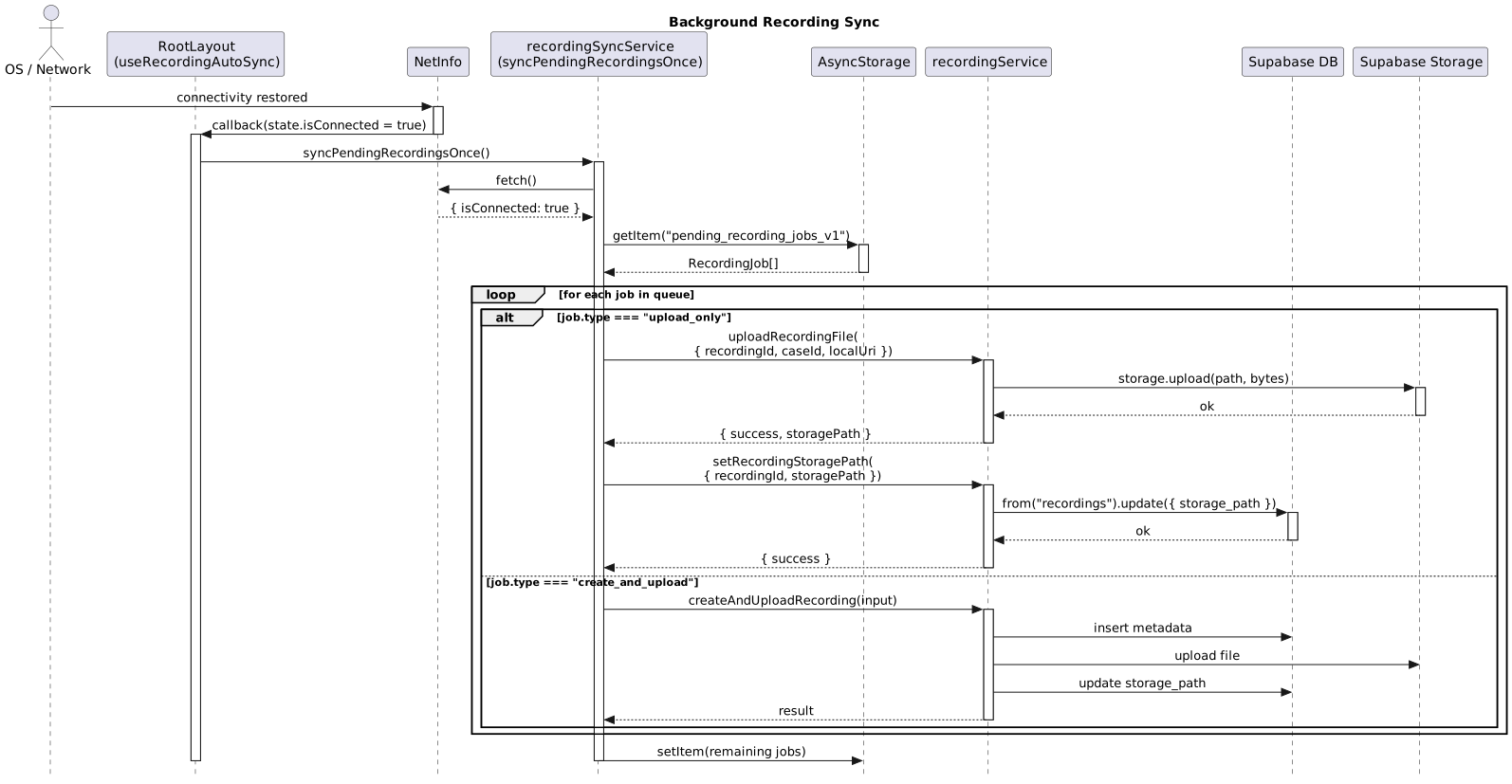
Background Recording Sync:
-
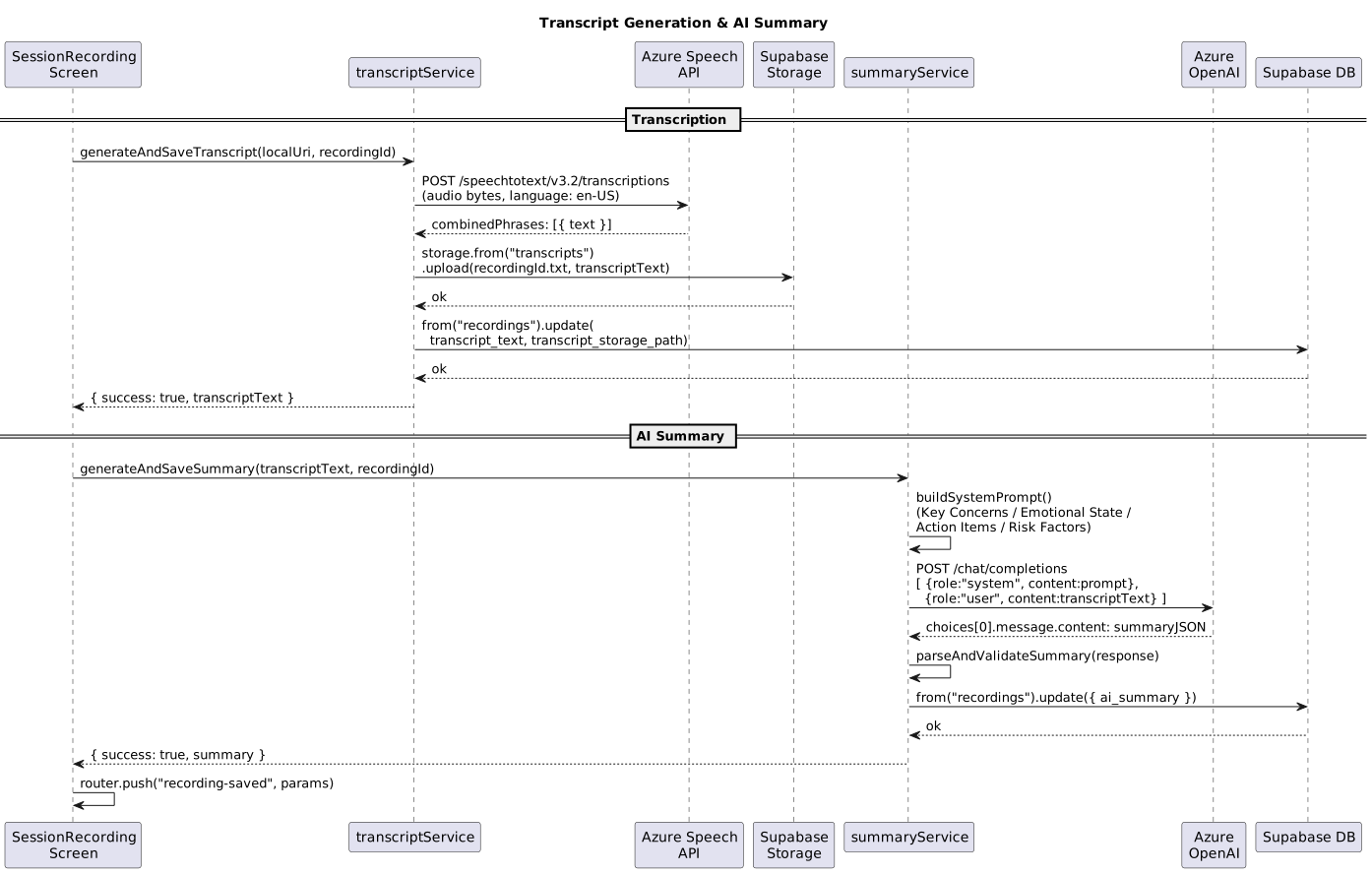
Transcript Generation & AI Summary:
-
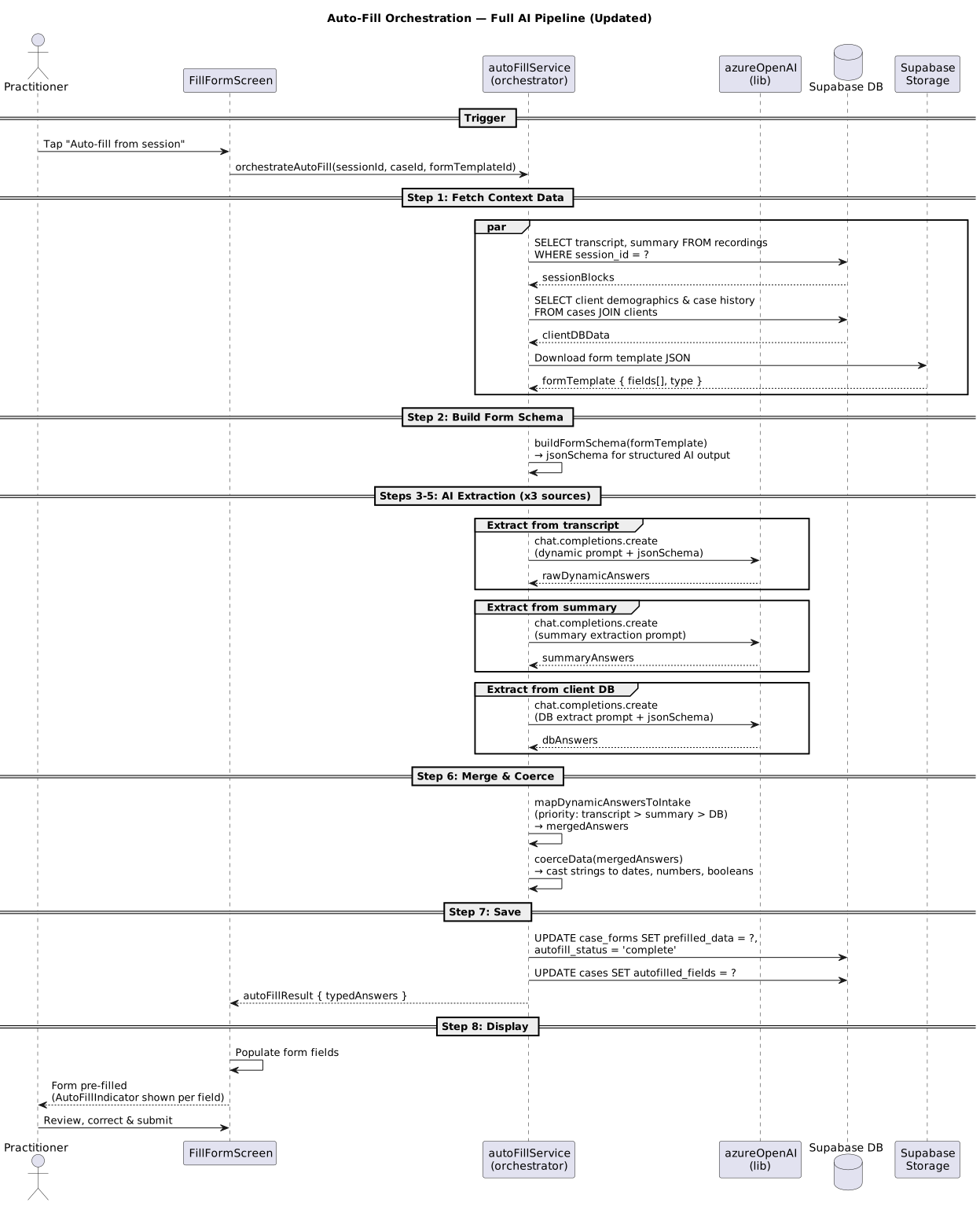
Auto-Fill Orchestration:
-
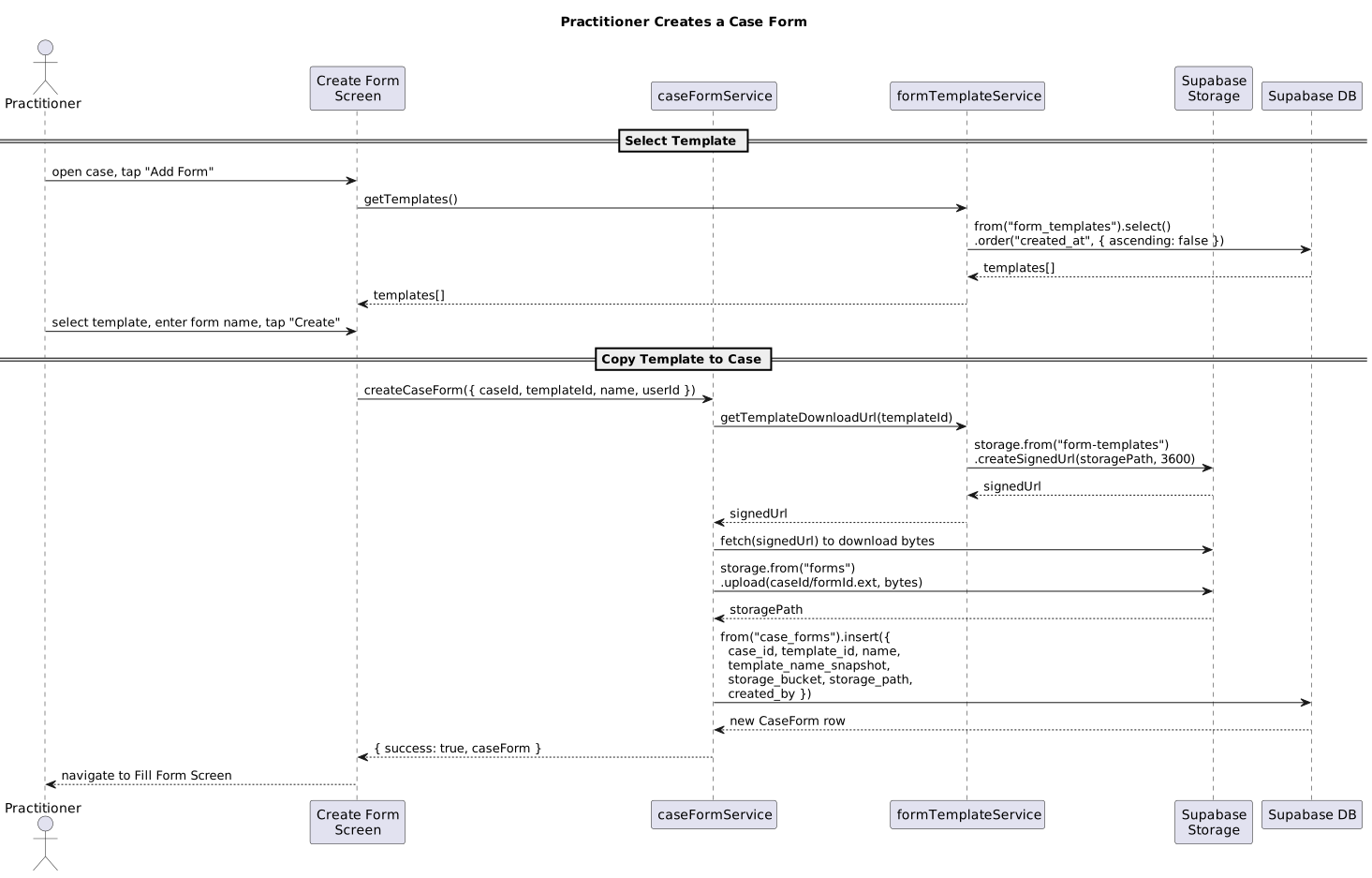
Practitioner Creates a Case Form:
-
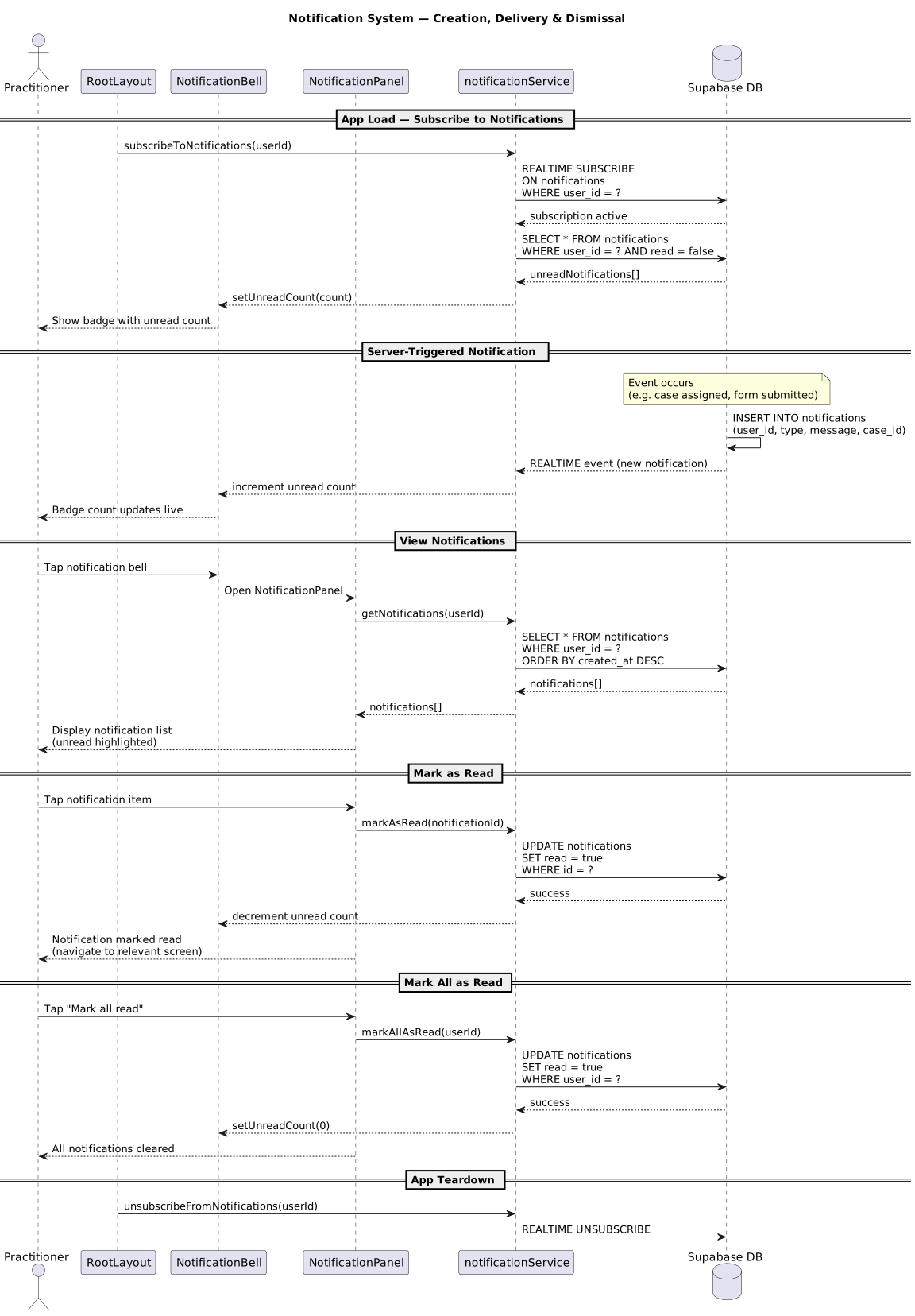
Notification System:
-
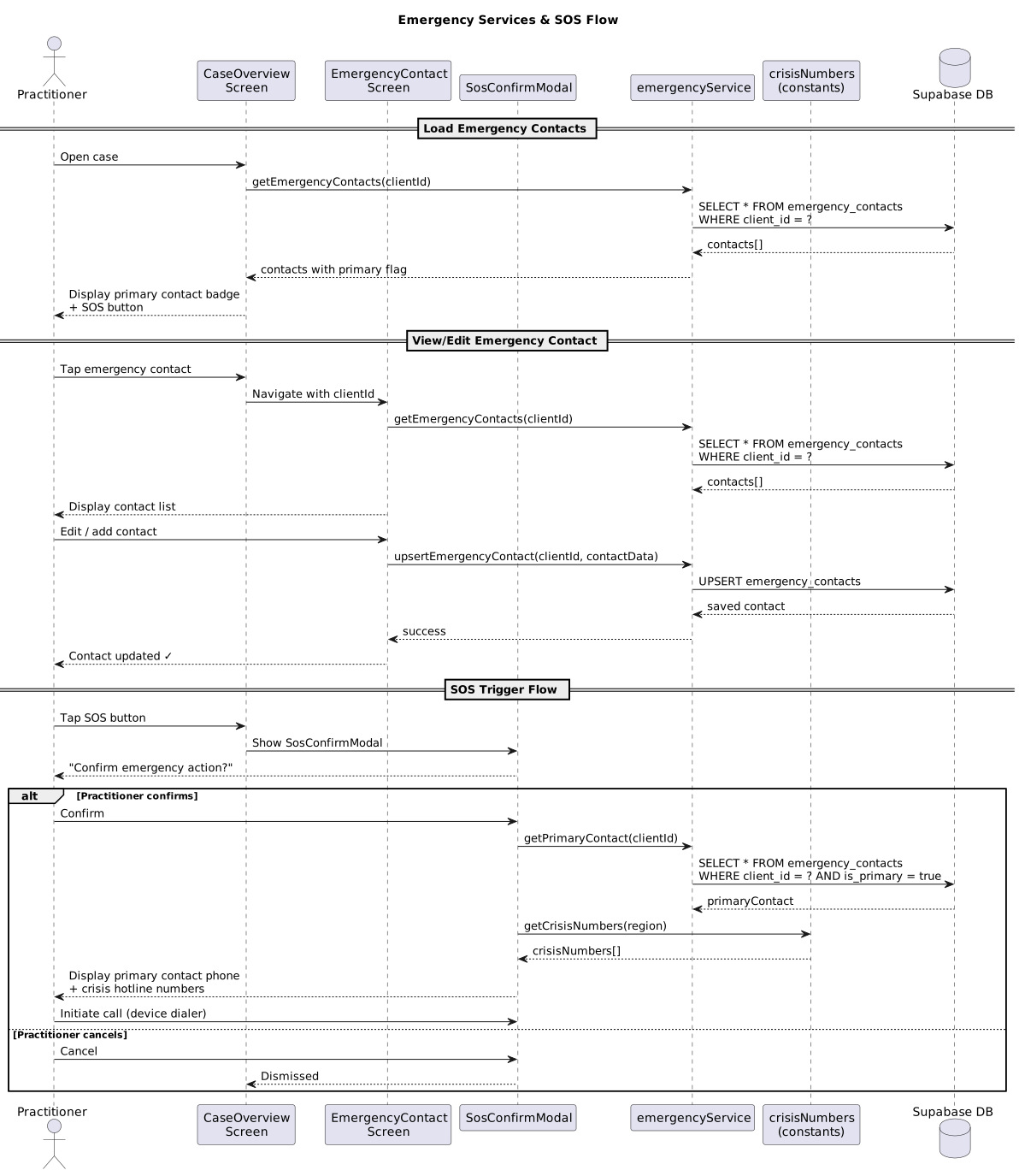
Emergency SOS Flow:
-
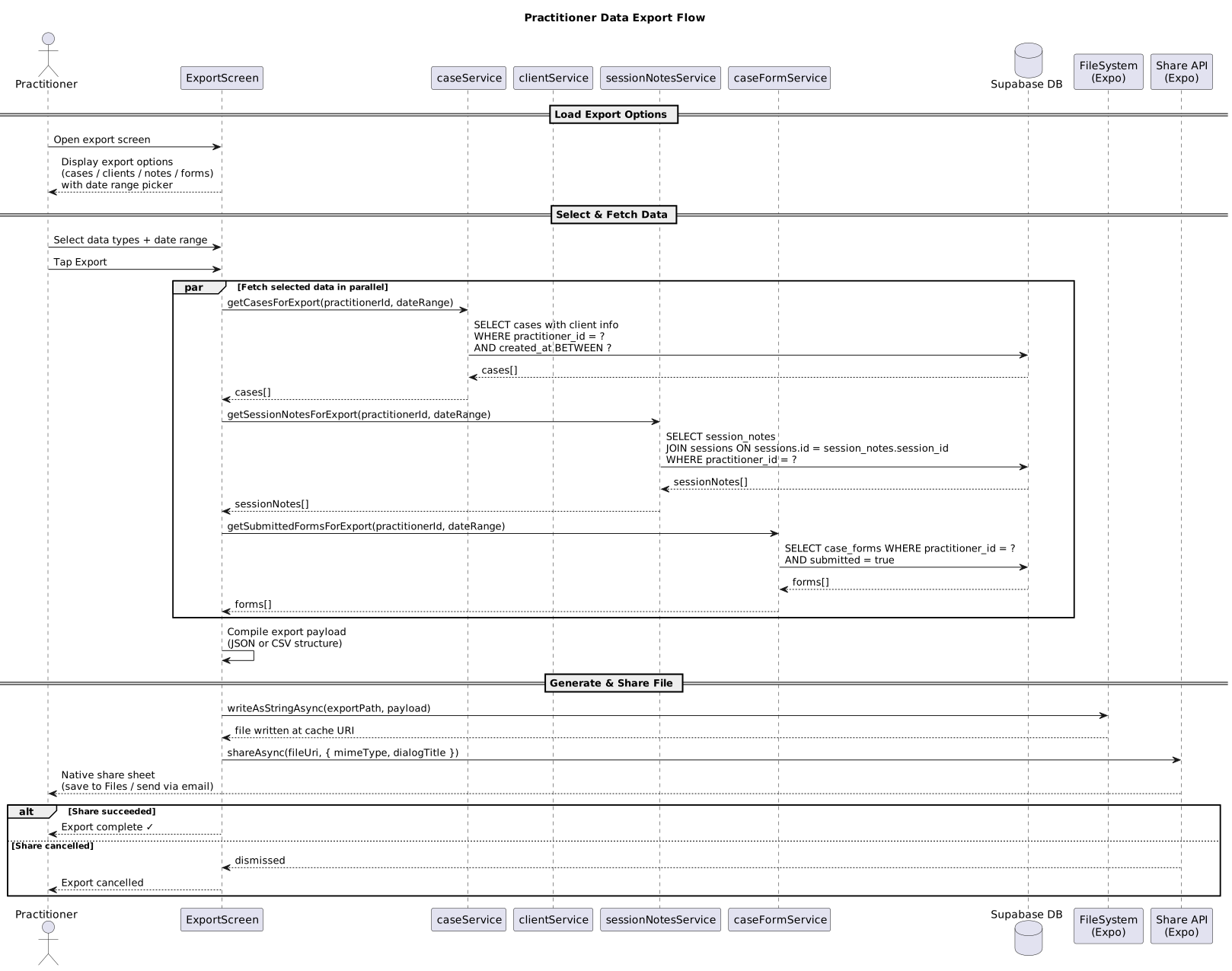
Data Export:
Low-Fidelity User interface
At this stage, it’s important to show the overall look and feel of your app, as well as the high-level user-interaction design. Low-fidelity wireframes are usually black and white Looking at the wireframes, anyone should be able to get an idea of what will be developed.

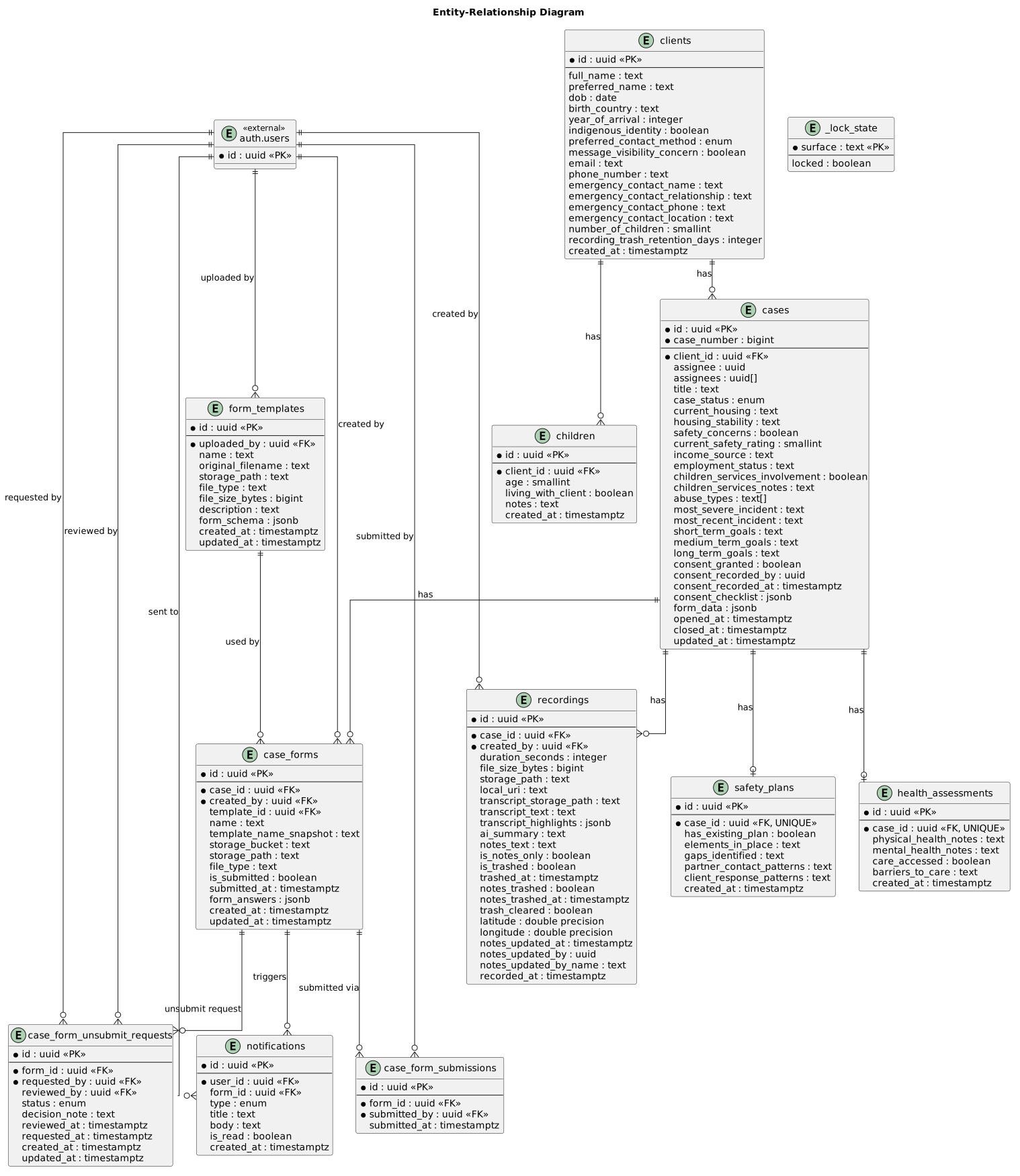
ER Diagram
This is the Entity-Relationship diagram representing the database schema and the relationships between entities in the system.